A Tiny AI Model in Your Browser
Why I added a chat to my site, why it doesn't use a generative LLM, and how I get to see what people ask without paying for anything.
I was hanging out with my friend Aparna. We played some chess, and then — because apparently that’s what we do for fun — decided to pair program together. We were both building chatbots for our sites, and mine became the Ask page, where you can ask a question about me and get an answer back.

My first idea was to run an actual LLM in the browser. Partly just because it sounded fun, but also because I’d been hearing a lot about the environmental cost of LLMs, and it seemed like a model small enough to run locally would be better for the environment.
Why not an LLM
I built a RAG setup (retrieval-augmented generation): a small LLM, Qwen2.5-0.5B, running client-side, which looked up relevant snippets in a file I had built from my blog and project pages and used them to write an answer.
Then I asked it where I was from and it told me I was from Texas. I am not a Texan.
Looking for something safer, I switched to Xenova/all-MiniLM-L6-v2, a small embedding model. It doesn’t generate text at all. Instead, it helps match sentences to other sentences.
That meant I could decide the answers myself. I made a file, src/content/faq.json, with questions people might ask and my answer to each one. When I build the site, a script runs those questions through the model ahead of time and saves the results to public/faq-index.json. When someone asks something on the Ask page, the model finds the closest question in that file and returns my answer. When nothing matches, it encourages you to rephrase or check out a different page.
Since it can only return answers I vetted, it’s never going to tell anyone I’m from Texas.
Finding out what people actually ask
Once this was live, I wanted to know what people were asking so I could keep the FAQ file up to date. Discord webhooks are free, so I set one up to post each question to a private channel on my server. I kept the webhook out of the browser by including a tiny backend.
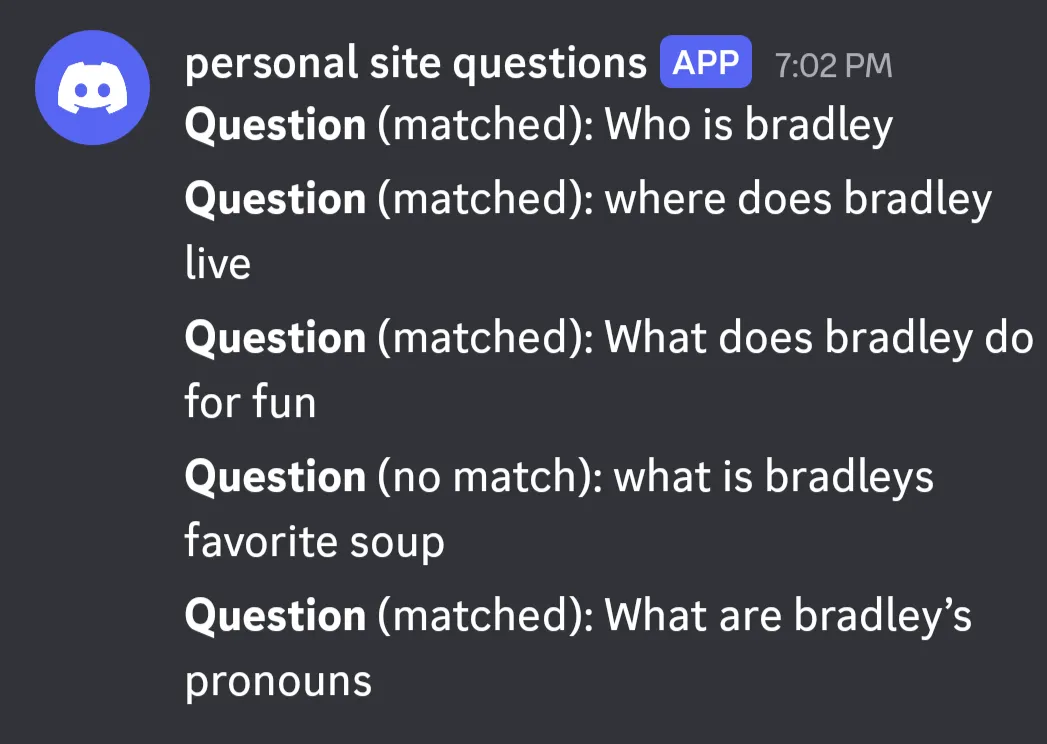
So if you ask something on the Ask page, I’ll see it, which means don’t type anything you wouldn’t want me to read.